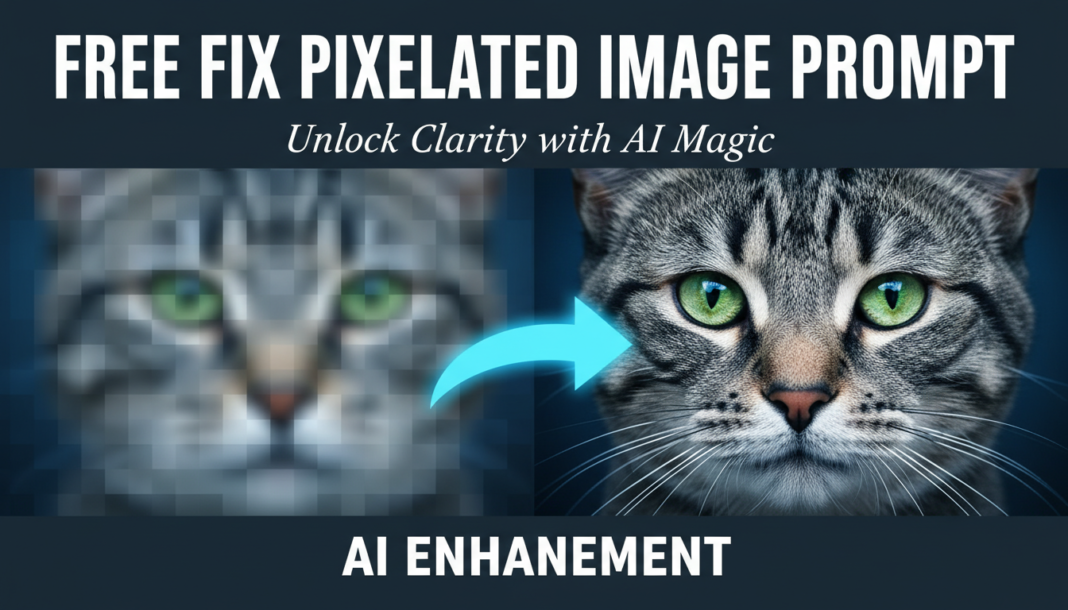
Executive Summary: The “Fix Pixelated Image Prompt” leverages advanced AI techniques like super-resolution and generative fill to synthesize missing pixel data. By analyzing surrounding visual information, deep learning models intelligently reconstruct details, denoise artifacts, and upscale resolution. This process transforms low-fidelity, blocky images into smoother, higher-definition outputs, guided by the prompt’s instructions on desired quality and style and enhancing overall fidelity.
01. Triple Prompt Toolkit
V1 • Standard Correction
upscale and depixelate, enhance resolution, remove artifacts, smooth textures, maintain original subject integrity, photo-realistic
✍️ Editorial Tip: To adjust intensity, add ‘subtle depixelation’ or ‘aggressive artifact removal’. For specific output style, append ‘cartoonish’ or ‘painted’ to guide the aesthetic.
V2 • Cinematic High-Fidelity
cinematic quality, high-fidelity image restoration, dramatically depixelate, apply advanced denoising, reconstruct fine details, volumetric lighting, film grain texture (subtle), UHD resolution, dynamic range enhancement
✍️ Editorial Tip: Modify ‘film grain texture’ to ‘smooth digital texture’ for a cleaner, modern look. Adjust ‘volumetric lighting’ to ‘soft ambient light’ to control the mood and depth.
V3 • Hyper-Realistic Detail
hyper-realistic rendering, forensic-level depixelation, intelligent detail reconstruction, accentuate micro-textures, enhance specular highlights, natural depth of field, 8K resolution, physically accurate lighting, remove all digital artifacts, extremely sharp focus
✍️ Editorial Tip: For specific texture emphasis, add phrases like ‘e.g., skin pores visible’ or ‘fabric weave defined’. Decrease ‘8K resolution’ to ‘4K’ for faster rendering or a less extreme effect.
02. Pro Customization Table
| Variable | Replace With | Result | Impact |
|---|---|---|---|
| `[depixelation_mode]` | `aggressive pixel repair` / `subtle smoothing` | Controls how strongly the AI processes and reconstructs pixelated areas. | High |
| `[resolution_target]` | `4K` / `8K` / `16K` | Defines the target output resolution for the upscaled image. | High |
| `[detail_reconstruction_level]` | `minimal texture synthesis` / `hyper-detailed surface` | Dictates the degree of inferred and synthesized detail added to the image. | Medium |
| `[aesthetic_style]` | `painterly` / `photorealistic` / `cyberpunk` | Influences the overall visual feel and artistic direction of the output. | Medium |