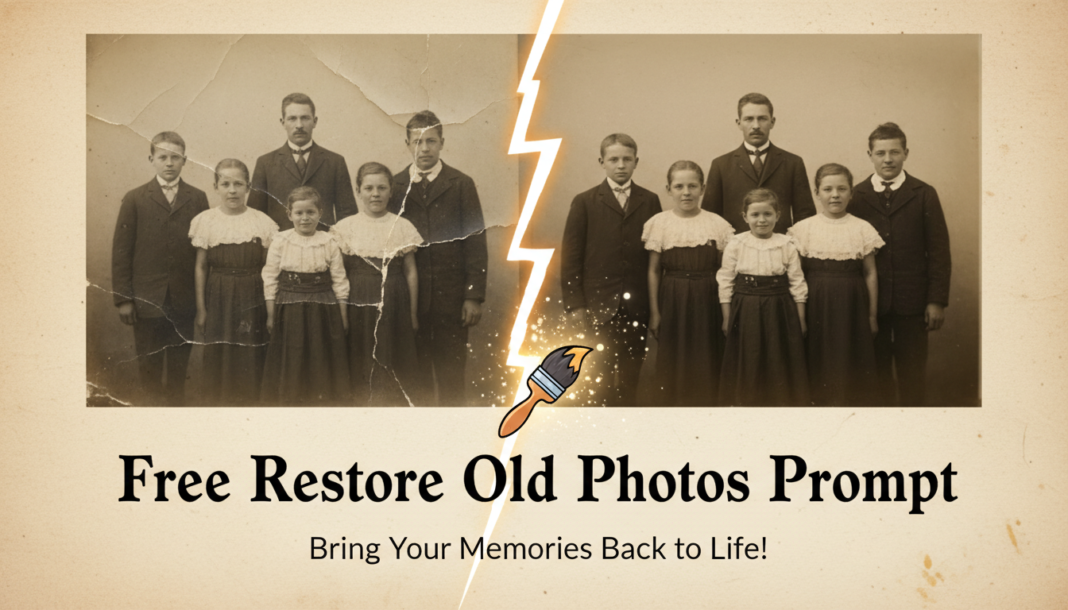
Executive Summary: AI photo restoration prompts leverage advanced generative models, typically Diffusion or GAN-based architectures, to intelligently reconstruct degraded images. These prompts guide the AI to perform tasks like denoising, scratch removal, color correction, deblurring, and resolution enhancement. By analyzing image features and learning from vast datasets of clean and degraded images, the models synthesize missing information and correct imperfections, transforming old, damaged photographs into pristine, high-fidelity versions, preserving historical integrity.
01. Triple Prompt Toolkit
V1 • Standard Correction
Restore an old faded photograph. Enhance clarity and sharpness, correct colors to be vibrant yet natural. Remove minor scratches and dust. Apply intelligent denoising while preserving original textures. High resolution, professional studio lighting.
✍️ Editorial Tip: To adjust intensity, modify terms like “minor scratches” to “all scratches” or “slight fade” to “heavy fading.” For style, swap “vibrant yet natural” with “soft vintage palette.”
V2 • Cinematic High-Fidelity
Transform a vintage photograph into a cinematic high-fidelity image. Preserve authentic aging, but enhance with rich, natural colors and deep contrast. Apply subtle film grain for texture. Denoise and sharpen intelligently, removing major blemishes, delivering a photorealistic, dramatic aesthetic. UHD, award-winning photography.
✍️ Editorial Tip: Adjust the “film grain” by specifying “fine film grain” or “heavy grain.” Control the mood by changing “dramatic aesthetic” to “nostalgic warmth” or “moody realism.”
V3 • Hyper-Realistic Detail
Achieve hyper-realistic restoration of a severely damaged old photograph. Reconstruct intricate details, enhance facial features with exceptional clarity, remove all scratches, tears, and mold. Apply advanced color restoration and precise sharpening without artifacts. Render as an uncompressed RAW photo, masterpiece quality, museum exhibit level.
✍️ Editorial Tip: To refine detail, specify elements like “iris detail,” “fabric textures,” or “hair strands.” Adjust the damage level by changing “severely damaged” to “moderately degraded” or listing specific flaws.
02. Pro Customization Table
| Variable | Replace With | Result | Impact |
|---|---|---|---|
| Degradation Type | `severely water damaged`, `creased and sepia-toned`, `color shifted with light leaks` | Targets specific types of damage for more accurate repair. | High |
| Aesthetic Style | `dreamy painterly style`, `gritty documentary feel`, `pristine studio portrait` | Changes the overall artistic interpretation and visual mood of the restoration. | High |
| Color Treatment | `monochrome conversion`, `vivid technicolor restoration`, `subtle pastel palette` | Alters the entire color scheme or introduces specific colorizations. | Medium |
| Output Quality/Resolution | `8K archival quality`, `print-ready`, `optimized for web display` | Influences the technical fidelity and intended use-case for the final image output. | Medium |