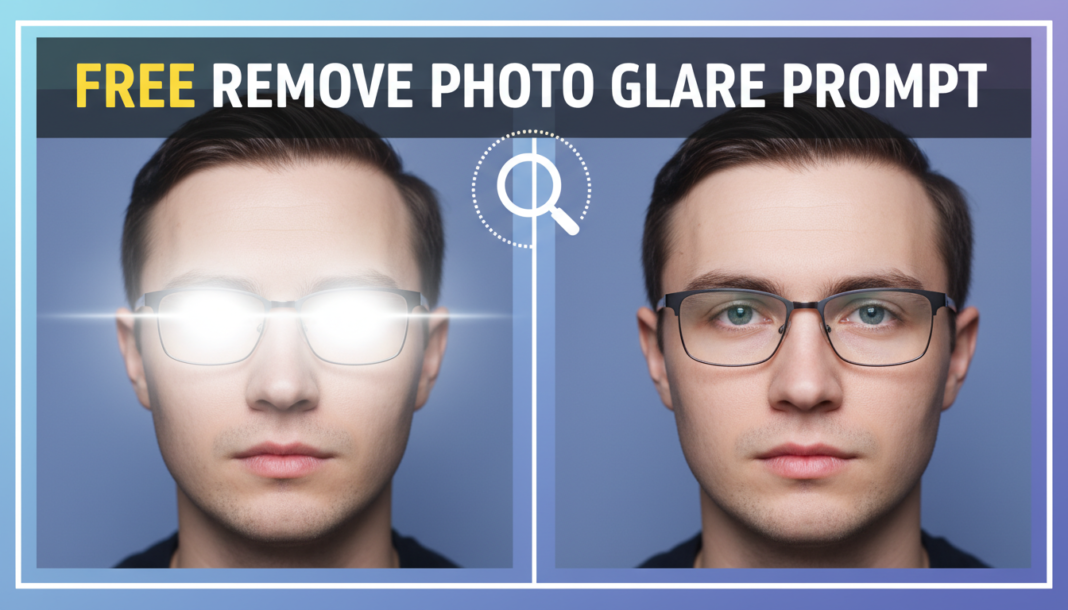
Executive Summary: The “Remove Photo Glare Prompt” directs AI models to identify and neutralize reflective light artifacts within images. By analyzing pixel luminance, color channels, and contextual information, the AI algorithm intelligently reconstructs underlying details obscured by glare. This process often involves advanced inpainting, precise color correction, and texture synthesis, effectively restoring clarity and natural appearance without introducing unnatural artifacts or blurring, crucial for quality photo enhancement.
01. Triple Prompt Toolkit
V1 • Standard Correction
Remove all optical glare and harsh reflections from the photograph. Ensure natural lighting and preserve original scene details. Apply a standard, balanced correction.
✍️ Editorial Tip: To adjust the intensity, add “subtle glare removal” or “aggressive glare removal” at the beginning. Modify “natural lighting” to “enhanced lighting” for a brighter outcome.
V2 • Cinematic High-Fidelity
Enhance photo, eliminating lens flare and specular highlights while retaining a cinematic, high-fidelity aesthetic. Reconstruct obscured areas with realistic textures and dynamic range, ensuring a professional, film-like appearance. Preserve original depth.
✍️ Editorial Tip: Refine the “cinematic aesthetic” by specifying a style, e.g., “vintage cinematic” or “modern HDR cinematic.” Adjust “dynamic range” for more pronounced highlights/shadows.
V3 • Hyper-Realistic Detail
Perform a hyper-realistic glare removal, meticulously reconstructing all pixel-level detail obscured by reflections. Focus on texture preservation, accurate color rendition, and edge fidelity. The output must appear as if no glare was ever present, with forensic-level detail.
✍️ Editorial Tip: For specific areas, append “especially focus on [subject/object]” to guide the AI. To emphasize a type of glare, add “addressing strong window reflections” or “mitigating metallic surface glare.”
02. Pro Customization Table
| Variable | Replace With | Result | Impact |
|---|---|---|---|
| Glare Intensity | `subtle`, `moderate`, `aggressive`, `complete` | Controls the degree of glare elimination, from slight reduction to full removal. | High |
| Aesthetic Style | `natural`, `cinematic`, `vibrant`, `soft focus` | Influences the overall look and feel of the post-glare image, adapting tone. | Medium |
| Detail Preservation | `original details`, `enhanced textures`, `forensic-level detail` | Directs the AI on how much underlying detail to reconstruct and emphasize. | High |
| Glare Type | `lens flare`, `specular highlights`, `window reflections`, `metallic glare` | Guides the AI to target specific types of reflective artifacts for removal. | Medium |