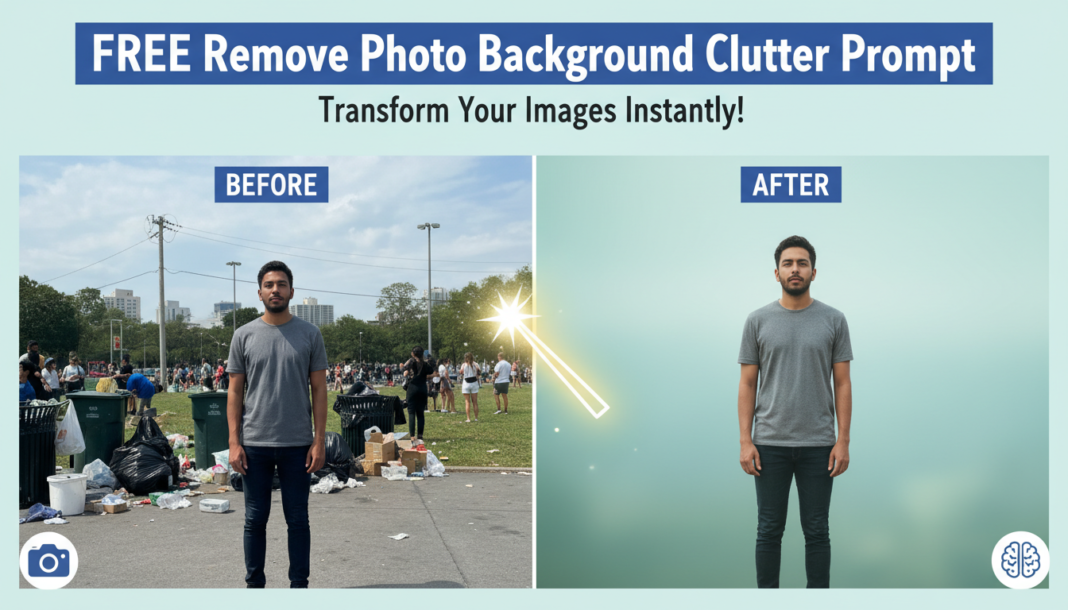
Executive Summary: The “Remove Photo Background Clutter Prompt” leverages advanced AI semantic segmentation and inpainting techniques. Its technical core identifies and precisely separates foreground subjects from background distractions. By analyzing image features, the AI intelligently removes unwanted elements or reconstructs a cleaner, contextually appropriate background, thereby enhancing visual hierarchy and subject focus without manual masking, crucial for automated content generation and post-production workflows.
01. Triple Prompt Toolkit
V1 • Standard Correction
Remove all distracting background elements and simplify the background to a clean, unobtrusive state. Isolate the main subject clearly. –style raw –quality 2
✍️ Editorial Tip: To change the background’s character, replace “unobtrusive state” with a specific description like “solid white,” “soft grey gradient,” or “subtle texture.” Adjust `–quality` for rendering fidelity.
V2 • Cinematic High-Fidelity
Isolate the primary subject with precise edge detection. Replace the original background with a shallow depth of field, neutral bokeh effect. Enhance subject’s dynamic range, add subtle rim lighting for a cinematic feel, professional studio lighting. –ar 16:9 –v 5.2
✍️ Editorial Tip: Modify “neutral bokeh effect” to “anamorphic lens blur” or “gradient field blur” for varied aesthetic focus. Adjust “rim lighting” or “professional studio lighting” to explore different illumination styles.
V3 • Hyper-Realistic Detail
Refine the subject’s outline with pixel-level accuracy, removing any remnants of the original background. Reconstruct a new, photorealistic, coherent background that complements the subject without distracting, maintaining natural textures and reflections. Ensure consistent lighting and shadow integration, realistic depth. –s 750 –w 0.5
✍️ Editorial Tip: Tweak “natural textures and reflections” to “glossy surfaces” or “matte finish” for specific material properties. Adjust `–s` (stylize) for more artistic liberty, or `–w` (weirdness) for controlled subtle randomness.
02. Pro Customization Table
| Variable | Replace With | Result | Impact |
|---|---|---|---|
| `Background Type` | `solid white`, `blurred cityscape`, `abstract gradient`, `forest clearing` | Alters the environment behind the subject, from simple to complex. | High |
| `Subject Enhancement` | `crisp details`, `vibrant colors`, `soft focus`, `increased contrast` | Refines the visual quality and presence of the main subject. | Medium |
| `Lighting Style` | `soft studio lighting`, `dramatic backlighting`, `natural daylight`, `golden hour` | Dictates the overall mood and illumination of the scene. | High |
| `AI Parameter` | `–quality 5`, `–s 0`, `–ar 9:16`, `–v 6` | Controls rendering fidelity, stylization, aspect ratio, or model version. | Variable |