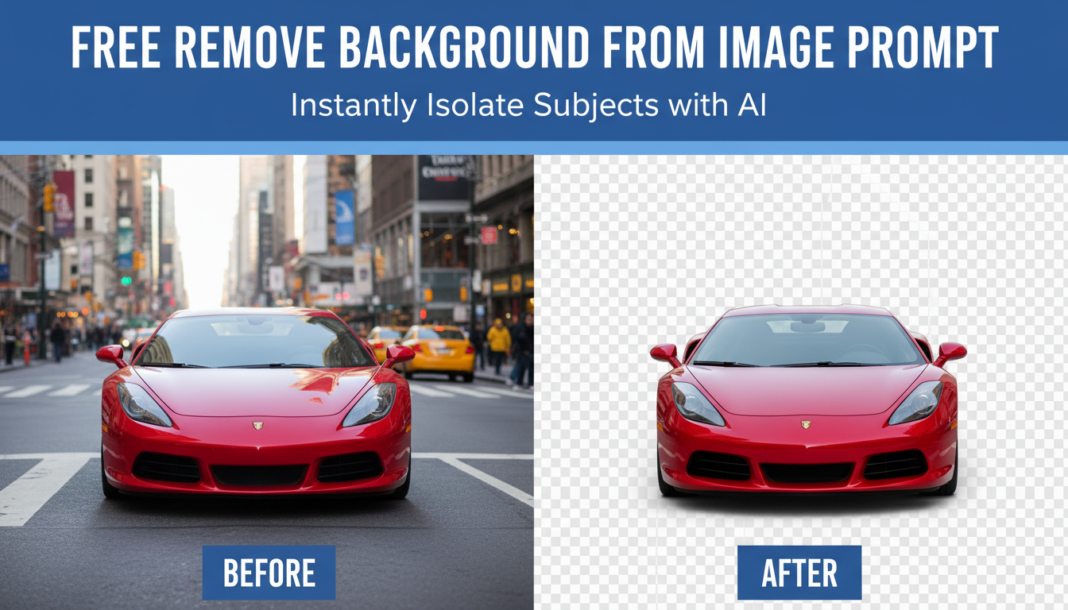
Executive Summary: AI background removal leverages advanced semantic segmentation models to differentiate the primary subject from its surrounding environment. These models generate a precise alpha mask, effectively isolating the foreground object. The masked area can then be replaced with transparency, a solid color, or an entirely new scene, enabling seamless compositing and visual manipulation within various creative and commercial workflows.
01. Triple Prompt Toolkit
V1 • Standard Correction
Segment the primary subject from the input image. Remove all background elements, leaving a transparent alpha channel around the isolated subject. Maintain original subject quality and resolution.
✍️ Editorial Tip: To adjust the “aggressiveness” of the removal, add terms like “meticulously” or “broadly” to guide precision, or specify the desired transparency (e.g., “white background”).
V2 • Cinematic High-Fidelity
Isolate the central figure/object with cinematic precision. Generate a high-fidelity alpha mask, ensuring feathered edges and subtle light wrap simulation where applicable. Prepare for compositing onto a new dramatic background, preserving subject’s original mood and detail.
✍️ Editorial Tip: Emphasize “light wrap” or “edge blending” to influence how cleanly the subject integrates, or specify a desired new background for a preview effect (e.g., “onto a blurred cityscape”).
V3 • Hyper-Realistic Detail
Perform a hyper-accurate background excision. Focus on pixel-level detail around intricate edges such as hair strands, fur, or delicate textures. Output a pristine subject with a transparent background, ensuring no residual haloing or artifacting, suitable for professional print and high-resolution digital media.
✍️ Editorial Tip: Add specific challenging elements like “individual hair strands” or “translucent materials” to push the model’s segmentation capabilities further, ensuring fine details are preserved.
02. Pro Customization Table
| Variable | Replace With | Result | Impact |
|---|---|---|---|
| `Background Type` | `transparent`, `solid color #FFFFFF`, `gradient blur`, `new scene [description]` | Changes the replacement for the removed background (e.g., a specific color, a blurred version, or an entirely new environment). | High |
| `Edge Quality` | `sharp edges`, `feathered outline`, `light wrap simulation`, `pixel-perfect` | Controls the smoothness, realism, and precision of the subject’s border, influencing how it integrates into new contexts. | Medium |
| `Subject Focus` | `only the person`, `the product box`, `the main car`, `all foreground elements` | Directs the AI to a specific element within the image to be preserved, especially when multiple objects are present. | High |
| `Output Context` | `for e-commerce`, `for print media`, `for social media banner`, `for compositing` | Influences the output’s resolution, file type considerations, and overall aesthetic treatment for its intended use case. | Medium |