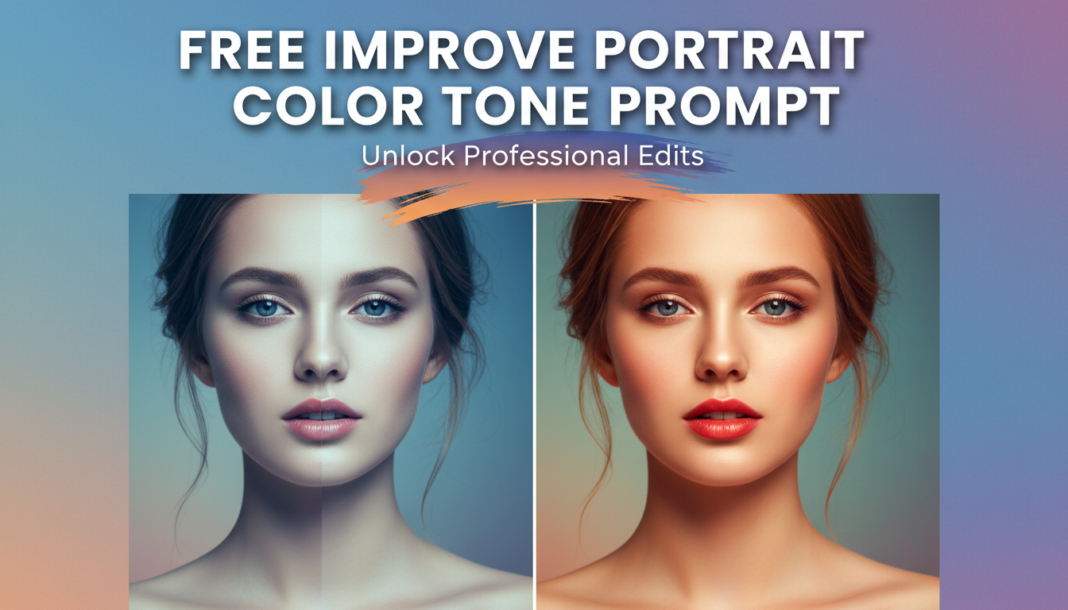
Executive Summary: Improve Portrait Color Tone prompts guide AI models to meticulously adjust the hue, saturation, and luminance across a portrait. They target specific elements like skin tones, ambient light, and background colors to achieve a harmonious and aesthetically pleasing palette. This process corrects color casts, enhances vibrancy, and establishes a desired mood or realism, directly influencing the emotional impact and perceived quality of the generated image.
01. Triple Prompt Toolkit
V1 • Standard Correction
A portrait photo with natural, balanced color tones. Ensure accurate skin tones, soft color transitions, and a neutral white balance. Slightly enhance vibrancy without oversaturation. Clear, realistic depiction.
✍️ Editorial Tip: To modify intensity, add terms like ‘subtly enhanced’ or ‘moderately vivid.’ Specify ‘cooler tones’ or ‘warmer ambiance’ to shift the overall temperature.
V2 • Cinematic High-Fidelity
Cinematic portrait, high-fidelity color grading. Rich, deep hues with a subtle teal-and-orange split tone. Emphasize warm skin tones against cooler background elements. Evocative, film-like saturation, enhanced contrast, and a dramatic, focused light fall-off. Exquisite detail.
✍️ Editorial Tip: Experiment with different split-tone pairs (e.g., ‘warm yellows and deep blues’) or specific film stock emulation (e.g., ‘Kodachrome aesthetic’) to alter the cinematic feel.
V3 • Hyper-Realistic Detail
Hyper-realistic portrait, meticulous color tone accuracy. Render precise, true-to-life skin complexions with subtle variations. Preserve intricate color details in textures and fabric. Ensure fine tonal gradations, avoiding banding, with natural, unbiased lighting. Uncompressed, RAW-like fidelity.
✍️ Editorial Tip: Refine by specifying ambient light conditions like ‘golden hour lighting’ or ‘overcast diffused light’ to impact subtle chromatic shifts. Use ‘increase texture realism’ for skin.
02. Pro Customization Table
| Variable | Replace With | Result | Impact |
|---|---|---|---|
| `Overall Color Tone` | `Warm, Cool, Vibrant, Muted, Earthy, Pastel` | Shifts the overall color temperature and saturation profile of the portrait. | High |
| `Skin Tone Aesthetic` | `Natural, Rosy, Sun-kissed, Porcelain, Olive, Golden` | Defines the desired hue and luminosity for the subject’s skin complexion. | Medium-High |
| `Lighting Environment` | `Golden Hour, Soft Diffused, Dramatic Backlight, Studio Flash, Overcast` | Alters the quality, direction, and color contribution of light, directly impacting tones. | High |
| `Artistic Color Grading` | `Teal & Orange, Sepia, Monochromatic, Vintage Film, HDR, Pastel Fade` | Applies a specific artistic color filter or stylistic effect to the entire image. | High |