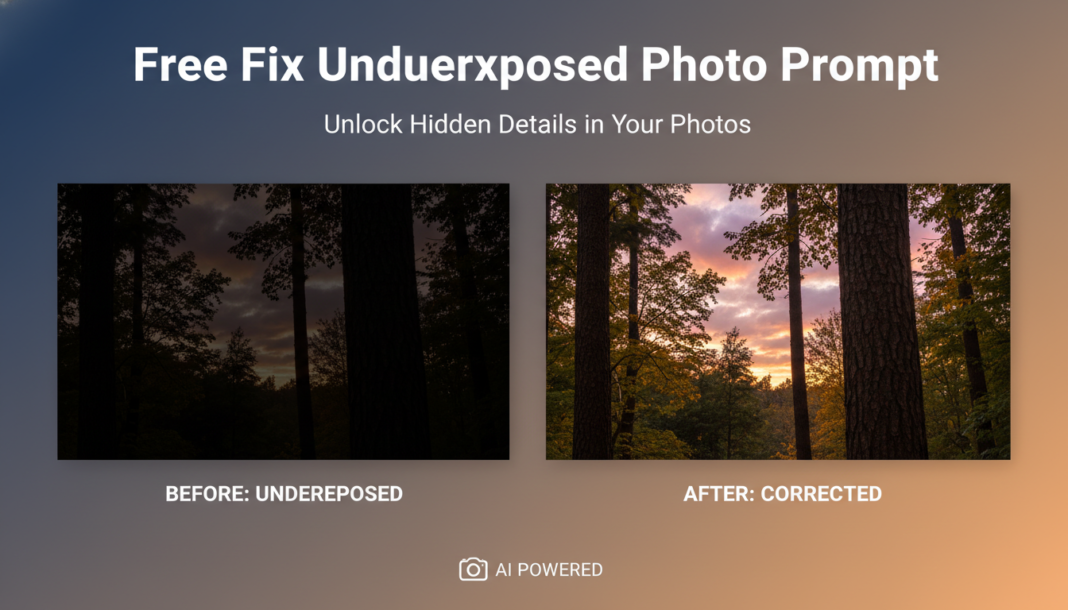
Executive Summary: AI models fix underexposed photos by employing advanced image processing techniques. They analyze pixel intensity distributions, intelligently applying dynamic range expansion, shadow recovery, and selective contrast enhancement. This process brightens dark regions, retrieves lost detail, and balances overall luminance, often leveraging neural networks trained on vast datasets of optimally exposed and corrected images to produce natural-looking results.
01. Triple Prompt Toolkit
V1 • Standard Correction
Underexposed photo, brighten shadows, recover detail, natural exposure, balanced contrast, slight warmth, high-resolution.
✍️ Editorial Tip: To adjust intensity, add ‘subtle’ or ‘strong’ before ‘brighten shadows’. For mood, append ‘cool tone’ or ‘vibrant’.
V2 • Cinematic High-Fidelity
Cinematic underexposed photo correction, dramatic shadow lift, rich mid-tones, enhanced atmospheric glow, soft light diffusion, film grain emulation (subtle), 16:9 aspect, Hasselblad X1D II, deep color grading.
✍️ Editorial Tip: Modify ‘film grain emulation’ to ‘clean’ for a smoother look or increase intensity for a more vintage feel. Adjust ‘atmospheric glow’ for different moods.
V3 • Hyper-Realistic Detail
Professionally correct underexposure, meticulous detail recovery in darkest areas, precise highlight preservation, optically accurate color rendition, noise reduction (minimal), crisp sharpness, studio lighting emulation, F/2.8, 85mm lens, 4K UHD, photorealistic.
✍️ Editorial Tip: Alter ‘noise reduction (minimal)’ to ‘aggressive noise reduction’ for cleaner but potentially softer results, or remove it entirely for raw detail. Adjust aperture/lens for desired depth of field.
02. Pro Customization Table
| Variable | Replace With | Result | Impact |
|---|---|---|---|
| Exposure Intensity | `subtle lift`, `aggressive brightness`, `gentle recovery` | Controls the degree of brightening applied to the image’s dark areas. | Significant |
| Detail Focus | `softened edges`, `razor-sharp textures`, `smooth transitions` | Determines how much fine detail is brought out or softened during correction. | Moderate |
| Color Profile | `vibrant saturation`, `muted tones`, `monochromatic conversion`, `Kodachrome emulation` | Changes the overall color palette and saturation after exposure correction. | Drastic |
| Atmospheric Effect | `misty haze`, `clear atmosphere`, `golden hour glow` | Adds or removes environmental atmospheric effects, influencing mood and depth. | Moderate |