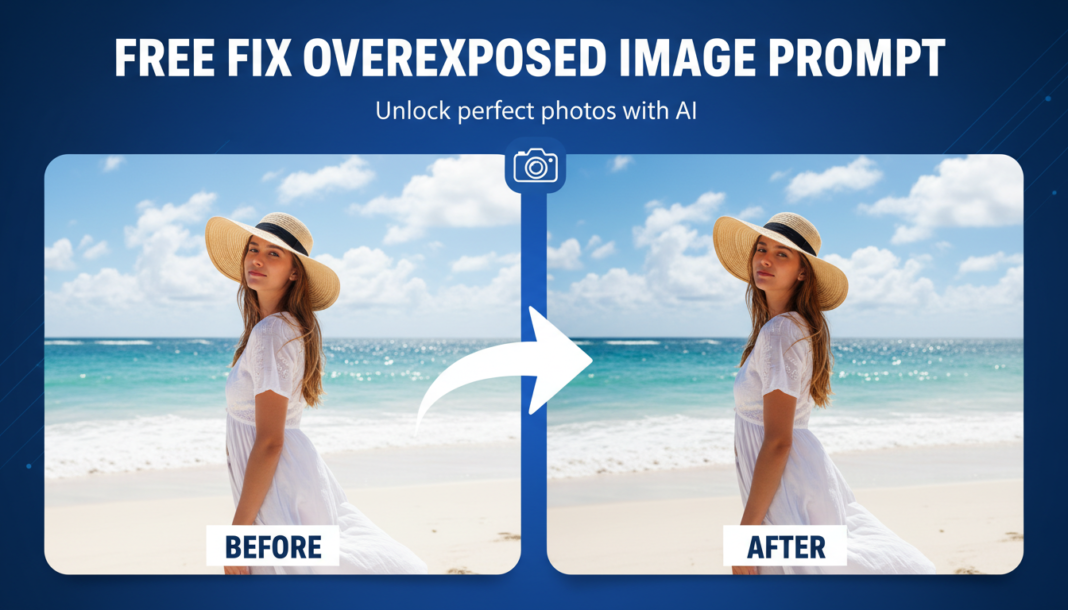
Executive Summary: The “Fix Overexposed Image Prompt” leverages AI’s computational vision to analyze and reconstruct pixel data in blown-out highlight regions. It employs advanced inverse tone mapping, local contrast adjustments, and intelligent interpolation algorithms to recover lost detail, restore accurate color information, and rebalance luminance across the image, effectively bringing visual information back from apparent white-out areas without introducing artifacts.
01. Triple Prompt Toolkit
V1 • Standard Correction
Remaster and correct severely overexposed photograph. Recover blown-out highlights, restore natural tones, and enhance overall detail. Maintain original composition. Apply a subtle global contrast adjustment with neutral white balance.
✍️ Editorial Tip: Adjust “natural tones” to “warm tones” or “cool tones” to subtly shift the color temperature, or add “subtle vignette” for stylistic darkening of edges.
V2 • Cinematic High-Fidelity
Transform overexposed RAW image into a cinematic, high-fidelity scene. Implement sophisticated highlight recovery, deep shadow restoration, and a dramatic, film-like color grade. Emphasize depth and textural realism with a soft, diffused light effect and minimal digital noise reduction.
✍️ Editorial Tip: Change “film-like color grade” to specific styles like “teal and orange grade” or “sepia tone” to alter the mood. Modify “soft, diffused light” to “hard, dramatic lighting” for a different aesthetic.
V3 • Hyper-Realistic Detail
Perform forensic-level detail recovery on an overexposed image. Precisely re-render blown-out areas, restoring micro-textures and intricate patterns with pixel-level accuracy. Apply advanced local contrast enhancement and intelligent de-haze, ensuring hyper-realistic fidelity without artifacts. Preserve original sharpness and natural grain.
✍️ Editorial Tip: To focus on specific elements, add “emphasize facial features” or “restore textile patterns” before “micro-textures.” Change “natural grain” to “no grain” for a cleaner, digital look.
02. Pro Customization Table
| Variable | Replace With | Result | Impact |
|---|---|---|---|
| `[Correction_Intensity]` | `aggressive`, `subtle`, `moderate` | Controls how strongly the AI attempts to recover highlights and adjust overall exposure. | High |
| `[Color_Grade_Style]` | `cinematic`, `vintage`, `natural`, `high-contrast` | Defines the overall aesthetic and color treatment of the restored image. | High |
| `[Detail_Recovery_Focus]` | `facial features`, `landscape elements`, `textural patterns`, `reflections` | Guides the AI to prioritize detail restoration in specific areas or types of textures. | Medium |
| `[Lighting_Effect]` | `soft diffused light`, `hard dramatic lighting`, `ambient glow`, `natural daylight` | Influences the perceived quality and direction of light in the corrected image. | Medium |