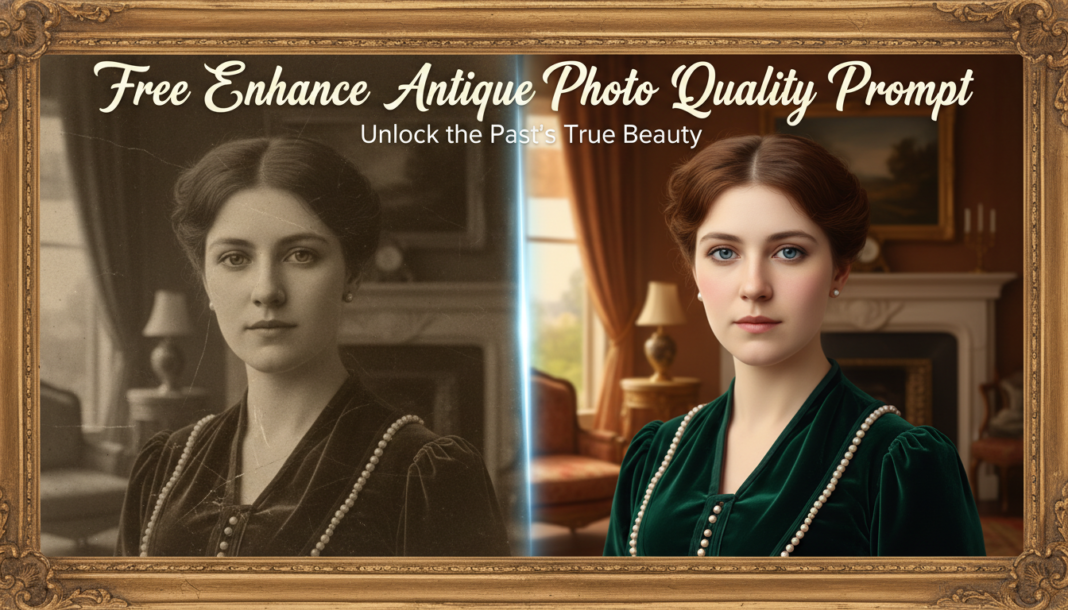
Executive Summary: The ‘Enhance Antique Photo Quality Prompt’ leverages advanced AI models, primarily diffusion or GANs, to intelligently reconstruct and restore degraded historical photographs. It analyzes input for common antique photo issues like scratches, fading, noise, and color shifts. Through neural network processing, the prompt guides the AI to perform intelligent upscaling, artifact removal, contrast enhancement, and often realistic colorization, synthesizing missing data to output high-fidelity, preserved imagery.
01. Triple Prompt Toolkit
V1 • Standard Correction
High-resolution scan of an antique photograph, focus on restoration: eliminate scratches, dust, creases, and noise. Sharpen details without introducing artifacts. Correct color shifts and fading for natural, preserved appearance. Enhance contrast and dynamic range subtly. Output a clean, archival-quality image. –ar 3:2 –q 2 –s 750
✍️ Editorial Tip: To adjust the level of restoration, modify `–s` (stylize) for subtlety or increase `sharpen` values. For more aggressive artifact removal, add `aggressive denoising` or `repair severe damage`.
V2 • Cinematic High-Fidelity
Antique portrait, cinematic high-fidelity restoration, dramatic chiaroscuro lighting, deep contrast. Restore intricate details of fabric and skin texture with film grain aesthetic. Remove all historical damage – cracks, blotches, severe fading – while maintaining an authentic, atmospheric feel. Colorize with muted, historically appropriate tones or sharp black and white with rich tonal depth. –ar 16:9 –q 2.5 –v 5.2
✍️ Editorial Tip: Experiment with `–ar` (aspect ratio) for different framing. Adjust `chiaroscuro lighting` to `soft studio lighting` for a less dramatic mood, or tweak `film grain aesthetic` for smoother textures.
V3 • Hyper-Realistic Detail
Forensic-grade restoration of a severely damaged antique landscape photo. Achieve hyper-realistic detail: reconstruct missing elements, ultra-sharp focus on every leaf and stone, natural lighting. Advanced AI algorithms to meticulously remove all degradation – tears, water damage, chemical stains, pixelation – while synthesizing authentic textures and preserving historical integrity. Output photorealistic, museum-quality imagery. –ar 4:3 –q 2 –s 1000 –style raw
✍️ Editorial Tip: For less aggressive reconstruction, remove `reconstruct missing elements`. Adjust `–s` (stylize) or `–style raw` to fine-tune the AI’s creative interpretation versus strict realism.
02. Pro Customization Table
| Variable | Replace With | Result | Impact |
|---|---|---|---|
| Degradation Type | `scratches`, `fading`, `water damage`, `creases`, `dust`, `pixelation`, `chemical stains` | Targets specific types of historical damage for AI repair and removal. | High |
| Output Aesthetic | `archival-quality`, `cinematic`, `hyper-realistic`, `photorealistic`, `stylized`, `film grain aesthetic` | Defines the overall visual style and fidelity of the restored image, from factual to artistic. | High |
| Coloration Strategy | `natural appearance`, `muted, historically appropriate tones`, `sharp black and white`, `sepia`, `full color restoration` | Controls the color treatment, from B&W to vibrant colorization or historically accurate hues. | Medium |
| AI Model Parameters | `–s [0-1000]` (stylize), `–q [0.5-2.5]` (quality) | `–s` controls AI’s creative interpretation vs. adherence. `–q` sets rendering quality/time. | High |