spot_imgspot_img

Top 5 This Week

spot_img

Related Posts

Image Generation PromptsImage Cleaning / EnhancementFree Add Dreamy Photo Effect Prompt

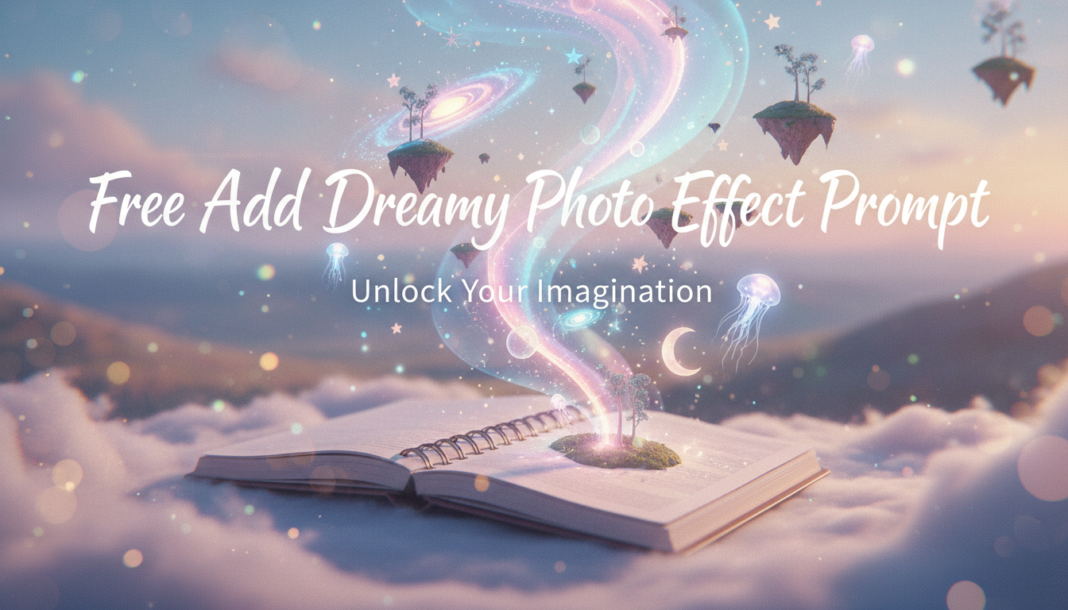
Free Add Dreamy Photo Effect Prompt

Executive Summary: The “Dreamy Photo Effect Prompt” leverages AI to manipulate image aesthetics by applying specific rendering instructions. This involves fine-tuning parameters for soft focus, elevated highlights, subtle chromatic aberration, ethereal lighting, and desaturated or pastel color palettes. The AI interprets these textual cues to generate visuals characterized by a gentle, often otherworldly, atmospheric quality, diminishing harsh contrasts and enhancing subjective emotional resonance through visual diffusion and glow.

01. Triple Prompt Toolkit

V1 • Standard Correction

Subject in a field, add dreamy photo effect, soft focus, glowing diffused light, pastel color palette, slight ethereal haze, shallow depth of field, delicate bloom effect.

✍️ Editorial Tip: Adjust “soft focus” to “subtle blur” or “heavy blur” to control the extent of sharpness, and swap “pastel color palette” with specific hues like “lavender and rose tones” for targeted color moods.

V2 • Cinematic High-Fidelity

Portrait, cinematic dreamy effect, shallow DOF, anamorphic bokeh, volumetric warm light rays, subtle halation, low contrast, film grain, ethereal glow, hazy pastel lens flares, professional color grading.

✍️ Editorial Tip: Experiment with different light sources like “backlit by golden hour” or “moonlit” to dramatically shift the mood, and alter “anamorphic bokeh” to “circular bokeh” or “hexagonal bokeh” for varying background blur aesthetics.

V3 • Hyper-Realistic Detail

Landscape, hyper-realistic detail with dreamy overlay, crisp textures, soft atmospheric diffusion, delicate light bloom, ultra-fine chromatic aberration, slight subsurface scattering, high dynamic range, pastel color grading, photorealistic render.

✍️ Editorial Tip: To refine the balance between realism and dreaminess, adjust “soft atmospheric diffusion” to “dense fog” or “barely perceptible haze,” and specify the type of “light bloom” such as “halo effect” or “glare.”

02. Pro Customization Table

Variable Replace With Result Impact
`light (effect/source)` `golden hour glow`, `moonlit luminescence`, `iridescent flares` Changes the primary illumination and overall mood. High
`color palette` `muted earth tones`, `vibrant neon gradients`, `cool blue and silver` Alters the emotional temperature and visual harmony. High
`focus/blur style` `Gaussian blur`, `tilt-shift effect`, `lens distortion` Modifies depth perception and areas of sharpness/diffusion. Medium
`atmospheric elements` `whisps of fog`, `sparkling dust particles`, `rain-slicked surface` Adds environmental texture and enhances immersion. Medium


BloggEdge Team Education & Research Desk
BloggEdge Team Education & Research Deskhttps://bloggedge.com
We are the Editorial Team at Bloggedge, a group of dedicated Tech Researchers and Data Analysts. Our mission is to break down complex AI and Global Tech developments into simple, easy-to-read guides. By utilizing our structured 'Information Hub,' we help readers worldwide stay ahead of digital trends without the confusion of technical jargon.

LEAVE A REPLY

Please enter your comment!
Please enter your name here

Popular Articles