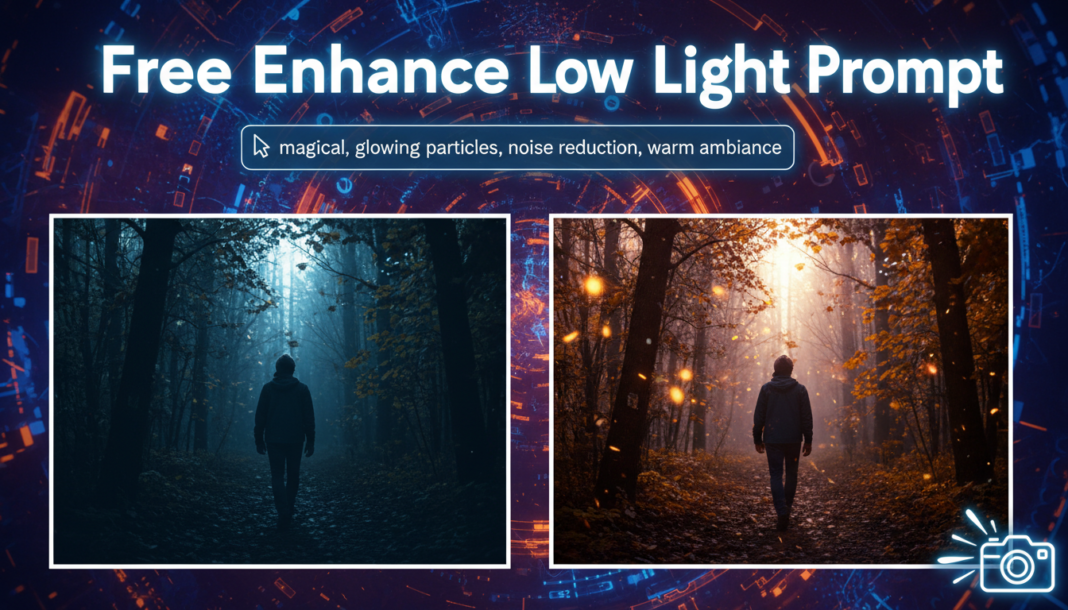
Executive Summary: The ‘Enhance Low Light Photo’ prompt leverages AI models to computationally restore and improve images captured in suboptimal lighting. It primarily involves intelligent noise reduction, selective illumination of underexposed regions, dynamic range expansion to recover lost shadows and highlights, and subtle color and contrast adjustments. This process aims to reveal hidden details, minimize artifacts, and render a visually coherent and aesthetically pleasing image, often simulating professional post-processing techniques.
01. Triple Prompt Toolkit
V1 • Standard Correction
Photo of [subject/scene] shot in low light, enhance, clear, natural lighting, subtle noise reduction, balanced exposure, moderate contrast, clean image, sharp focus.
✍️ Editorial Tip: To adjust intensity, replace “subtle noise reduction” with “aggressive noise reduction” or “minimal noise reduction,” and “moderate contrast” with “high contrast” or “low contrast.”
V2 • Cinematic High-Fidelity
Cinematic shot of [subject/scene] in urban night, low light enhanced, rich deep shadows, luminous highlights, filmic color grading, soft bokeh, dramatic atmosphere, high dynamic range, minimal artificial noise, beautiful aesthetic.
✍️ Editorial Tip: Change “urban night” to “forest night” or “indoor scene” for environment, and adjust “dramatic atmosphere” to “mysterious ambiance” or “vibrant mood” for different emotional tones.
V3 • Hyper-Realistic Detail
Hyper-realistic photo of [subject/scene], extreme detail recovery from low light, ultra-sharp textures, micro-contrast enhancement, pristine clarity, artifact-free, deep blacks, accurate color rendition, noise-gated, professional photography style.
✍️ Editorial Tip: For more or less perceived sharpness, modify “ultra-sharp textures” to “crisp textures” or “subtly defined textures.” Adjust “artifact-free” to “with slight natural imperfections” if desired.
02. Pro Customization Table
| Variable | Replace With | Result | Impact |
|---|---|---|---|
| `light intensity` | `dramatic`, `soft`, `bright`, `dim` | Controls the overall luminosity and atmospheric mood of the image. | High |
| `noise management` | `minimal noise`, `film grain`, `clean`, `gritty` | Influences image smoothness, texture, and perceived digital artifacts. | Medium-High |
| `color temperature` | `warm tones`, `cool blues`, `vibrant`, `muted` | Adjusts the color palette, influencing the emotional feel and realism. | High |
| `detail level` | `fine details`, `razor sharp`, `soft focus`, `texture` | Determines the clarity, definition, and tactile quality of subjects and textures. | Medium |