spot_imgspot_img

Top 5 This Week

spot_img

Related Posts

Image Generation PromptsImage Cleaning / EnhancementFree Brighten Eyes In Portrait Prompt

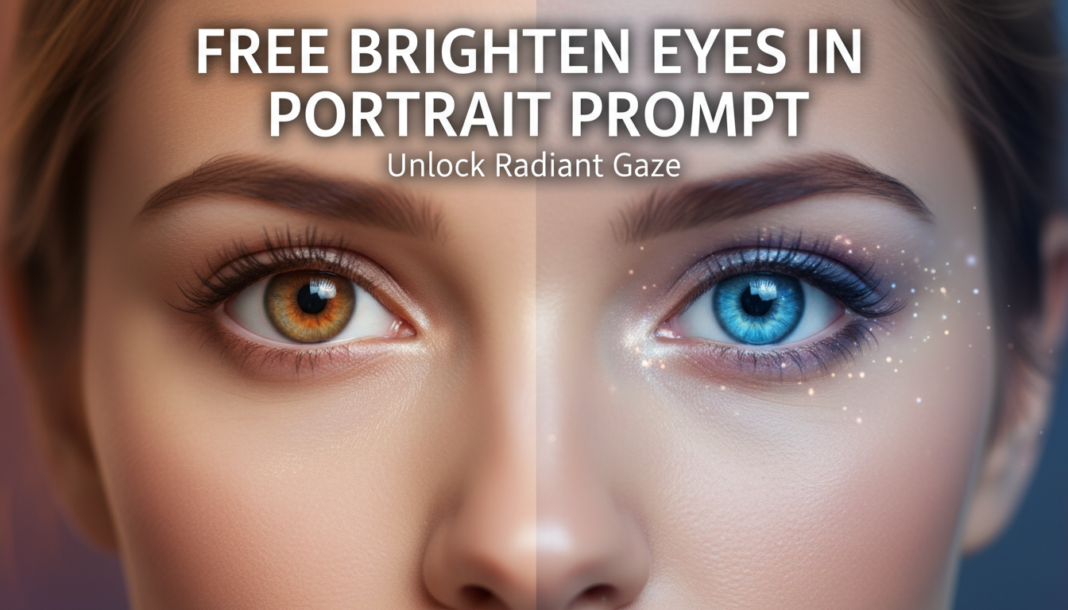
Free Brighten Eyes In Portrait Prompt

Executive Summary: The “Brighten Eyes In Portrait Prompt” leverages AI’s image generation capabilities to precisely enhance ocular luminosity and clarity. It guides the model to apply localized micro-adjustments—increasing contrast, boosting subtle specular highlights (catchlights), and refining iris saturation—within the eye region. This targeted enhancement ensures the subject’s gaze appears vibrant and expressive, without over-processing surrounding facial features, thus achieving a natural yet striking visual impact critical for compelling portraits.

01. Triple Prompt Toolkit

V1 • Standard Correction

Close-up portrait of a young woman, bright expressive eyes, subtle catchlights, soft studio lighting, natural skin tone.

✍️ Editorial Tip: To adjust brightness intensity, modify “bright expressive” to “subtly luminous” for a softer look, or “intensely sparkling” for more gleam. Add “glistening” for a wet-look effect.

V2 • Cinematic High-Fidelity

Cinematic close-up portrait, elderly man with soulful, deeply reflective eyes, perfect spherical catchlights, meticulously illuminated irises, high-fidelity render, shallow depth of field, dramatic rim lighting, film grain.

✍️ Editorial Tip: Refine “perfect spherical catchlights” to specific shapes like “octagonal catchlights” or “single rectangular highlight” to mimic studio light modifiers. Vary “dramatic rim lighting” to “soft backlight” for a different mood.

V3 • Hyper-Realistic Detail

Ultra-realistic macro portrait, child with vibrant, crystalline eyes, intricate iris patterns visible, precise specular reflections, subtle limbal ring detail, natural soft bokeh, 8K resolution, detailed skin pores, Canon L series lens.

✍️ Editorial Tip: To control the level of visible detail, adjust “intricate iris patterns visible” to “smooth iris” or add “visible blood vessels in sclera” for extreme realism. Change “natural soft bokeh” to “sharp background” for context.

02. Pro Customization Table

Variable Replace With Result Impact
Subject Description “elegant businesswoman”, “rugged adventurer”, “innocent toddler” Changes the person whose eyes are being brightened, influencing overall context. High
Eye Brightness/Quality “subtly luminous eyes”, “glistening emerald eyes”, “intensely piercing gaze” Directly controls the level, color, and emotional quality of eye brightness and reflection. High
Lighting Style “golden hour light”, “dramatic Rembrandt light”, “overcast window light” Determines how light falls on the eyes, influencing natural brightness and catchlight form. Medium
Detail & Realism “smooth iris texture”, “microscopic detail”, “photorealistic render” Controls the fidelity of textures, reflections, and overall sharpness within the eye region. Medium-High


BloggEdge Team Education & Research Desk
BloggEdge Team Education & Research Deskhttps://bloggedge.com
We are the Editorial Team at Bloggedge, a group of dedicated Tech Researchers and Data Analysts. Our mission is to break down complex AI and Global Tech developments into simple, easy-to-read guides. By utilizing our structured 'Information Hub,' we help readers worldwide stay ahead of digital trends without the confusion of technical jargon.

LEAVE A REPLY

Please enter your comment!
Please enter your name here

Popular Articles