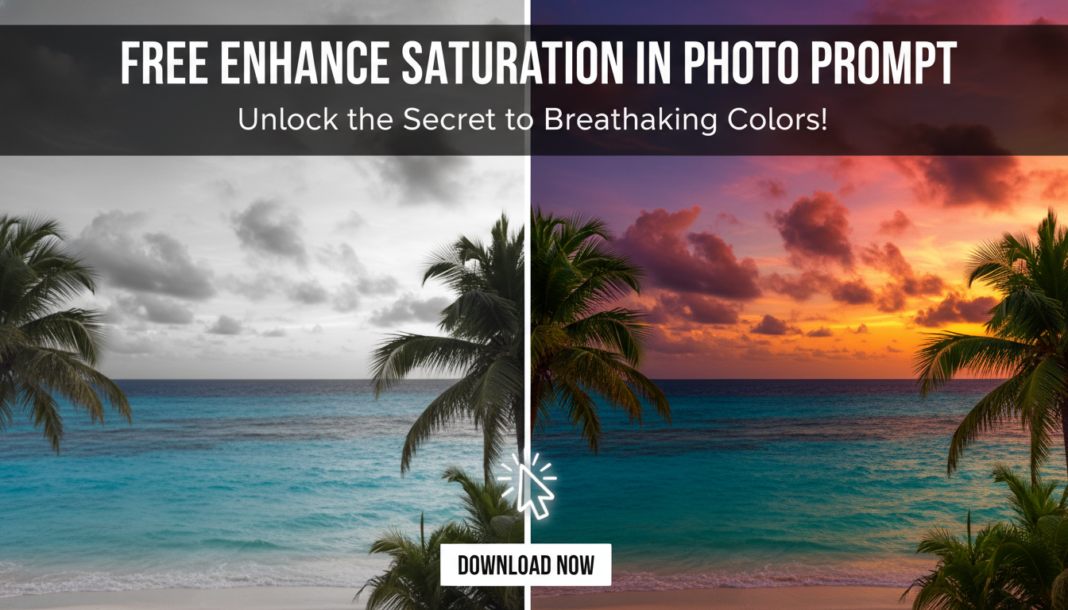
Executive Summary: Enhancing saturation in AI photo prompts instructs the generative model to amplify the intensity and vividness of colors within the output image. This process involves the AI interpreting global or localized color ranges and adjusting their chroma values. It’s crucial for dictating the overall mood, visual impact, and perceived realism, transforming a dull scene into a vibrant, lively one or achieving a specific stylistic aesthetic.
01. Triple Prompt Toolkit
V1 • Standard Correction
A vibrant landscape, lush green trees, clear blue sky, highly saturated colors, bright and vivid. –ar 16:9
✍️ Editorial Tip: To adjust intensity, modify “highly saturated” to “moderately saturated” or “ultra-saturated.” You can also target specific color groups like “deep blue sky, intense green foliage.”
V2 • Cinematic High-Fidelity
Epic fantasy scene, golden hour lighting, deep crimson sunset, glistening dewdrops on intensely emerald leaves, rich saturated palette, cinematic color grading, high dynamic range, breathtaking vividness, 8k photo. –ar 21:9
✍️ Editorial Tip: Experiment with specific lighting conditions (e.g., “dramatic chiaroscuro”) or film stock emulation (e.g., “Kodachrome saturation,” “Technicolor vibrancy”) to influence the color cast and intensity.
V3 • Hyper-Realistic Detail
Close-up macro shot of a tropical flower, intricate petal details, hyper-realistic texture, natural yet intensely vibrant hues, photo-realistic saturation, sharp focus, exquisite color fidelity, studio lighting, professional photography. –v 5.2
✍️ Editorial Tip: Introduce specific color adjectives for objects (e.g., “velvety ruby petals,” “luminous sapphire veins”) or numerical weights (e.g., “saturation +1.5”) if your AI model supports them, to fine-tune the color intensity on specific elements.
02. Pro Customization Table
| Variable | Replace With | Result | Impact |
|---|---|---|---|
| Intensity Descriptors | `moderately saturated`, `subtly vibrant`, `ultra-saturated`, `intensely vivid` | Controls the overall level of color amplification. | High |
| Color Grading Style | `cinematic color grading`, `film-like palette`, `vibrant pop art`, `pastel saturation` | Defines the artistic approach to color enhancement. | Medium |
| Subject-Specific Color | `deep crimson sunset`, `luminous sapphire`, `electric orange`, `verdant green` | Targets specific objects or areas for color emphasis. | Medium-High |
| Overall Mood/Effect | `breathtaking vividness`, `dramatic hues`, `serene pastel wash`, `gritty oversaturation` | Influences the emotional tone and visual impact of the image. | High |